Changing horn does'nt work

Post your problems and installation issues here!

Changing horn does'nt work

Unread postby jtousign » Thu Jan 11, 2018 8:14 pm

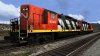
**!!bang!!** Hi, I used the engine repaint CN-F7 zebra, since I don't like the horn sound of the required F7 from DTG Feather river I tried to change the horn files by the UP SD-45 without success. Several hours lost to try and try but no result, always the same original sound of the F7 within the Feather river AP file. I used RW_tools and 7Z to extrack the files by the way. I read all topics about that in the forums. Now I'm done. Any help welcome!! **!!bow!!**
User avatar
jtousign
 
Posts: 638
Joined: Wed Jan 10, 2018 8:47 pm

Re: Changing horn does'nt work

Unread postby buzz456 » Thu Jan 11, 2018 8:36 pm

Not quite sure which files you are changing but you need to go into the CN engine bin file and near the bottom it will cal out the horn. You need to change the provider and folder to whatever you want it to look at. Make sure you check whatever it's supposed to be looking at or you won't get the sound.
horn sound.jpg
You do not have the required permissions to view the files attached to this post.
Buzz
39 and holding.
"Some people find fault like there's a reward for it."- Zig Ziglar
"If you can dream it you can do it."- Walt Disney
Image
User avatar
buzz456
Site Admin
 
Posts: 21103
Joined: Sun Mar 21, 2010 8:30 am
Location: SW Florida

Re: Changing horn does'nt work

Unread postby jalsina » Thu Jan 11, 2018 9:26 pm

I will try to help further, to what Buzz has started.
That would be the code to replace the F7 horn by the DTM SD45-UP:

Code: Select all
                     <BlueprintID>
                        <iBlueprintLibrary-cAbsoluteBlueprintID>
                           <BlueprintSetID>
                              <iBlueprintLibrary-cBlueprintSetID>
                                 <Provider d:type="cDeltaString">DTM</Provider>
                                 <Product d:type="cDeltaString">SD45-UP</Product>
                              </iBlueprintLibrary-cBlueprintSetID>
                           </BlueprintSetID>
                           <BlueprintID d:type="cDeltaString">Audio\Horns\SD45\SD45 Horn.xml</BlueprintID>
                        </iBlueprintLibrary-cAbsoluteBlueprintID>
                     </BlueprintID>


Basically you edit only three lines in that CN repaint: provider, product and path to the "horn driver" file.
Intel i7-7900K (3.60 GHz) - ASUS Prime Z390A - 32 GB DDR4 RAM 2400 MHz
GPU EVGA GTX-1060 OC 6GB at 1920x1080, 144 Hz - Monitor ASUS VG-248QE
System Windows 11 Pro in WD SSD 500 GB. Games in Inland 1Tb M.2 NVMe PCIe

User avatar
jalsina
 
Posts: 2016
Joined: Sun Jul 05, 2015 8:32 pm

Re: Changing horn does'nt work

Unread postby jtousign » Thu Jan 11, 2018 10:54 pm

buzz456 wrote:Not quite sure which files you are changing but you need to go into the CN engine bin file and near the bottom it will cal out the horn. You need to change the provider and folder to whatever you want it to look at. Make sure you check whatever it's supposed to be looking at or you won't get the sound.
horn sound.jpg


Many thanks for your help! Well, I never thought that I had to edit this file!! Then if I understand correctly I have to change these lines by the right provider? In my file It's written:
<BlueprintID d:type="cDeltaString">RailVehicles\Couplings\Buckeye\Type-E\buckeye_type_e_coupling.xml</BlueprintID>
The word "audio" is not mentioned.
User avatar
jtousign
 
Posts: 638
Joined: Wed Jan 10, 2018 8:47 pm

Re: Changing horn does'nt work

Unread postby jtousign » Thu Jan 11, 2018 11:00 pm

jalsina wrote:I will try to help further, to what Buzz has started.
That would be the code to replace the F7 horn by the DTM SD45-UP:

Code: Select all
                     <BlueprintID>
                        <iBlueprintLibrary-cAbsoluteBlueprintID>
                           <BlueprintSetID>
                              <iBlueprintLibrary-cBlueprintSetID>
                                 <Provider d:type="cDeltaString">DTM</Provider>
                                 <Product d:type="cDeltaString">SD45-UP</Product>
                              </iBlueprintLibrary-cBlueprintSetID>
                           </BlueprintSetID>
                           <BlueprintID d:type="cDeltaString">Audio\Horns\SD45\SD45 Horn.xml</BlueprintID>
                        </iBlueprintLibrary-cAbsoluteBlueprintID>
                     </BlueprintID>


Many thanks for your help!! I try to edit this file and will let you know! *!!thnx!!*
Basically you edit only three lines in that CN repaint: provider, product and path to the "horn driver" file.
User avatar
jtousign
 
Posts: 638
Joined: Wed Jan 10, 2018 8:47 pm

Re: Changing horn does'nt work

Unread postby jtousign » Fri Jan 12, 2018 12:15 am

Well, does'nt work either !**conf**! I read somewhere that I should repack Feather River assets in AP file after the modifications, is it the case?
!*hp*!
User avatar
jtousign
 
Posts: 638
Joined: Wed Jan 10, 2018 8:47 pm

Re: Changing horn does'nt work

Unread postby jtousign » Fri Jan 12, 2018 2:05 am

So sorry, I edited the file at the wrong place !DUH! I made the correction but now, no horn sound at all !!! !*hp*! Any idea? I'm near of success thank to you guys !!howdy!!
User avatar
jtousign
 
Posts: 638
Joined: Wed Jan 10, 2018 8:47 pm

Re: Changing horn does'nt work

Unread postby jtousign » Fri Jan 12, 2018 2:49 am

By the way, the bell does'nt work either...
User avatar
jtousign
 
Posts: 638
Joined: Wed Jan 10, 2018 8:47 pm

Re: Changing horn does'nt work

Unread postby jtousign » Fri Jan 12, 2018 5:17 pm

I stop guessing, can't change the horn sound *!embar*! If anyone had changed the horn sound of this engine successfully after installing the CN F7 zebra repaint, please get in touch with me for help! I give my tong to the cat...
User avatar
jtousign
 
Posts: 638
Joined: Wed Jan 10, 2018 8:47 pm

Re: Changing horn does'nt work

Unread postby buzz456 » Fri Jan 12, 2018 7:30 pm

This may be a dumb question but did you check the DTM locomotive after you told it that was the horn it's supposed to be looking for? I did exactly what you showed above and it works just fine.
Buzz
39 and holding.
"Some people find fault like there's a reward for it."- Zig Ziglar
"If you can dream it you can do it."- Walt Disney
Image
User avatar
buzz456
Site Admin
 
Posts: 21103
Joined: Sun Mar 21, 2010 8:30 am
Location: SW Florida

Re: Changing horn does'nt work

Unread postby buzz456 » Fri Jan 12, 2018 7:32 pm

jtousign wrote:Well, does'nt work either !**conf**! I read somewhere that I should repack Feather River assets in AP file after the modifications, is it the case?
!*hp*!

No.
Buzz
39 and holding.
"Some people find fault like there's a reward for it."- Zig Ziglar
"If you can dream it you can do it."- Walt Disney
Image
User avatar
buzz456
Site Admin
 
Posts: 21103
Joined: Sun Mar 21, 2010 8:30 am
Location: SW Florida

Re: Changing horn does'nt work

Unread postby jtousign » Fri Jan 12, 2018 8:33 pm

quote]did you check the DTM locomotive after you told it that was the horn it's supposed to be looking for?[quote]

Yes I did and That is the horn sound I'd love to get for the CN F7. Instead I always hear the dern horn sound of the original F7 from DTG FR. I probably missed something important when I extracted thefiles from AP FR, I don't know !*don-know!*
User avatar
jtousign
 
Posts: 638
Joined: Wed Jan 10, 2018 8:47 pm

Re: Changing horn does'nt work

Unread postby buzz456 » Fri Jan 12, 2018 8:53 pm

Well your wording looks correct. Extract the F7 from the .ap. Path should look like this.
FR F7.jpg
You do not have the required permissions to view the files attached to this post.
Buzz
39 and holding.
"Some people find fault like there's a reward for it."- Zig Ziglar
"If you can dream it you can do it."- Walt Disney
Image
User avatar
buzz456
Site Admin
 
Posts: 21103
Joined: Sun Mar 21, 2010 8:30 am
Location: SW Florida

Re: Changing horn does'nt work

Unread postby jtousign » Sat Jan 13, 2018 12:52 am

That's exactly the same path as me. I notice that you have the Via rail F7 engine??? Where can I find the repaint please? Thanks a lot for your help! !*salute*!
User avatar
jtousign
 
Posts: 638
Joined: Wed Jan 10, 2018 8:47 pm

Re: Changing horn does'nt work

Unread postby jtousign » Sat Jan 13, 2018 12:54 am

OK I just found it in the file library! :D
User avatar
jtousign
 
Posts: 638
Joined: Wed Jan 10, 2018 8:47 pm

Next

Return to Problems and Peculiarities

Who is online

Users browsing this forum: No registered users and 1 guest

cron