
Perhaps this thread doesn't belong in this section of the forums, but I'm not sure where else to put it. Every now and then, I think again of installing the Brescia - Iseo route available at the AmiciTreni site. I have actually downloaded all eight parts of the installation, which contain numerous overlaps that, according to the read-me files, should all be installed since many of them are updates of previous versions. The first package alone contains 135 items, in a mixture of RWP and RPK files! What concerns me is that if I install everything and then discover that the route doesn't run satisfactorily on my system, or that I just don't like it, uninstalling all of the assets could become a nightmare.
So, my question is this: is there a way of combining all of the necessary asset packages into one large (huge?) RWP file that could later be uninstalled in one swell foop?
Actually, the same question applies to other Italian routes, such as Ferrovia sul confine Italia-Francia [Italy-French Border Railway], and probably to other large routes as well.
Dreaming of Brescia - Iseo
Dreaming of Brescia - Iseo
 by OldProf » Mon Feb 25, 2013 11:10 am
Tom Pallen (Old Prof)
{Win 10 Home 64-bit; Intel Core i7 6700 @ 3.40GHz; 16.0GB Single-Channel @ 1063 MHz (15-15-15-364); 2047MB NVIDIA GeForce GTX 960}
{Win 10 Home 64-bit; Intel Core i7 6700 @ 3.40GHz; 16.0GB Single-Channel @ 1063 MHz (15-15-15-364); 2047MB NVIDIA GeForce GTX 960}
-

OldProf - Posts: 2743
- Joined: Wed Sep 09, 2009 10:09 am
Re: Dreaming of Brescia - Iseo
by buzz456 » Mon Feb 25, 2013 11:42 am
Looks like a good place to put this to me. I look forward to someone who will be able to answer this I hope.
Buzz
39 and holding.
"Some people find fault like there's a reward for it."- Zig Ziglar
"If you can dream it you can do it."- Walt Disney

39 and holding.
"Some people find fault like there's a reward for it."- Zig Ziglar
"If you can dream it you can do it."- Walt Disney
-

buzz456 - Site Admin
- Posts: 21122
- Joined: Sun Mar 21, 2010 8:30 am
- Location: SW Florida
Re: Dreaming of Brescia - Iseo
by johnmckenzie » Mon Feb 25, 2013 1:29 pm
How about unzipping the RWPs with the likes of 7zip, putting everything in the same folder and re-zipping the combined files. OK, you won't end up with a RWP but we can all work ot where to place Assets and Routes files
-

johnmckenzie - Posts: 642
- Joined: Sat Mar 12, 2011 8:17 am
- Location: Lancashire, England
Re: Dreaming of Brescia - Iseo
by johnmckenzie » Mon Feb 25, 2013 1:31 pm
Ah, I can see the flaw in my suggestion - uninstalling wouldn't be so simple unless you provided a simple text file describing which assets and which route to delete in order to uninstall.
-
johnmckenzie - Posts: 642
- Joined: Sat Mar 12, 2011 8:17 am
- Location: Lancashire, England
Re: Dreaming of Brescia - Iseo
by Chacal » Mon Feb 25, 2013 5:34 pm
Actually your suggestion is good for a part of the problem. It does combine all versions into a single one, thus simplifying installation.
Removal is a different problem. It would be simple IF the assets were used ONLY for that route. In that case, it would be easy to automate the removal of all assets.
But if some of the assets were also used by another route, then removing them would be a problem.
Here is how I would do this (it is longer to explain than to do):
1- combine all RWPs and RPKs into a single folder structure.
2- using a freeware tool such as Teracopy, copy the files to the Railworks folder structure. If an asset already exists, Teracopy will ask what to do. Choose to not overwrite existing files. Do not delete the source files.
3- when the copy is completed, Teracopy displays a report. This shows:
a) what files were copied (these are the ones that you can remove later without problems); and
b) what files were skipped (these are the one you should not remove because they already existed, and are probably needed by another route).
Save this report for step 4 .
4- prepare an uninstall script like this:
a) make a text file with a list of all source files in the directory structure (using the DIR command or a tool such as Directory Lister). In the list, each line should be a full path and file name;
b) using a text editor, delete from the list all the assets that should NOT be removed (see 3b above);
c) add a DEL command at the beginning of each line;
d) save the file with a .BAT extension. It is now a script that can be run for uninstalling the route and its assets.
Removal is a different problem. It would be simple IF the assets were used ONLY for that route. In that case, it would be easy to automate the removal of all assets.
But if some of the assets were also used by another route, then removing them would be a problem.
Here is how I would do this (it is longer to explain than to do):
1- combine all RWPs and RPKs into a single folder structure.
2- using a freeware tool such as Teracopy, copy the files to the Railworks folder structure. If an asset already exists, Teracopy will ask what to do. Choose to not overwrite existing files. Do not delete the source files.
3- when the copy is completed, Teracopy displays a report. This shows:
a) what files were copied (these are the ones that you can remove later without problems); and
b) what files were skipped (these are the one you should not remove because they already existed, and are probably needed by another route).
Save this report for step 4 .
4- prepare an uninstall script like this:
a) make a text file with a list of all source files in the directory structure (using the DIR command or a tool such as Directory Lister). In the list, each line should be a full path and file name;
b) using a text editor, delete from the list all the assets that should NOT be removed (see 3b above);
c) add a DEL command at the beginning of each line;
d) save the file with a .BAT extension. It is now a script that can be run for uninstalling the route and its assets.
Over the hill and gathering speed
- Chacal
- Site Admin
- Posts: 6547
- Joined: Tue Jul 05, 2011 1:11 pm
- Location: Quebec, Canada
Re: Dreaming of Brescia - Iseo
by SargNickFury » Tue Feb 26, 2013 12:14 am
I know this doesn't exactly answer the actual question but I just want to add this route is totally worth it and immediately jumped to my top 5 routes....It runs fantastic for me.
I made this video using i3 2120, HD7850 2gb, with 8 gb ddr3, on p8h67-m if that helps you judge....
http://www.youtube.com/watch?v=hV9ZYuvqwiQ
I made this video using i3 2120, HD7850 2gb, with 8 gb ddr3, on p8h67-m if that helps you judge....
http://www.youtube.com/watch?v=hV9ZYuvqwiQ
-

SargNickFury - Posts: 60
- Joined: Sat Sep 22, 2012 9:47 pm
Re: Dreaming of Brescia - Iseo
by ex-railwayman » Tue Feb 26, 2013 5:32 am
Old Prof wrote:I have actually downloaded all eight parts of the installation, which contain numerous overlaps that, according to the read-me files, should all be installed since many of them are updates of previous versions. The first package alone contains 135 items, in a mixture of RWP and RPK files! What concerns me is that if I install everything and then discover that the route doesn't run satisfactorily on my system, or that I just don't like it, uninstalling all of the assets could become a nightmare.
The only easy way around this Tom is to only have 1 Assets folder for everything that is included in all of the 8 asset packs, you could do that for any other route, incidentally. As long as a copy of your Kuju folder is included for the couplers, and any other scenery items required by the route, you can create an individual Assets folder for any layout, just rename your original Asset folder so the game can distinguish between them, then if you don't like the route afterwards, you can just delete the complete Asset folder and extract the route from your Content folder and your computer will never know you had it on your hard drive.

Cheerz. ex-railwayman.
i7 10700k 3.8GHz Eight Core CPU, Gigabyte Z590 AORUS ELITE AX, 32GB RAM, nVidia RTX3060ti 8GB, WIN10 PRO 64-bit. 10TB HDDs in total.
- ex-railwayman
- Posts: 1203
- Joined: Tue Jun 22, 2010 6:17 pm
- Location: Nottingham, England
Re: Dreaming of Brescia - Iseo
by OldProf » Tue Feb 26, 2013 10:32 am
SargNickFury wrote:I know this doesn't exactly answer the actual question but I just want to add this route is totally worth it and immediately jumped to my top 5 routes....It runs fantastic for me.
I made this video using i3 2120, HD7850 2gb, with 8 gb ddr3, on p8h67-m if that helps you judge....
http://www.youtube.com/watch?v=hV9ZYuvqwiQ
Thanks for the recommendation! In the process of unzipping all of the assets files into a single folder before even starting to install them, one file will not expand due to an error. It's name is Assets_Bs_Iseo_Pedro.rwp. I've tried re-downloading the package that includes it several times without ever getting an expandable copy. Could you perhaps send me a good copy of this rwp file?
Tom Pallen (Old Prof)
{Win 10 Home 64-bit; Intel Core i7 6700 @ 3.40GHz; 16.0GB Single-Channel @ 1063 MHz (15-15-15-364); 2047MB NVIDIA GeForce GTX 960}
{Win 10 Home 64-bit; Intel Core i7 6700 @ 3.40GHz; 16.0GB Single-Channel @ 1063 MHz (15-15-15-364); 2047MB NVIDIA GeForce GTX 960}
-
OldProf - Posts: 2743
- Joined: Wed Sep 09, 2009 10:09 am
Re: Dreaming of Brescia - Iseo
by OldProf » Tue Feb 26, 2013 2:22 pm
It's good to know that some folks have installed this route successfully. As of this morning, here's what I had:
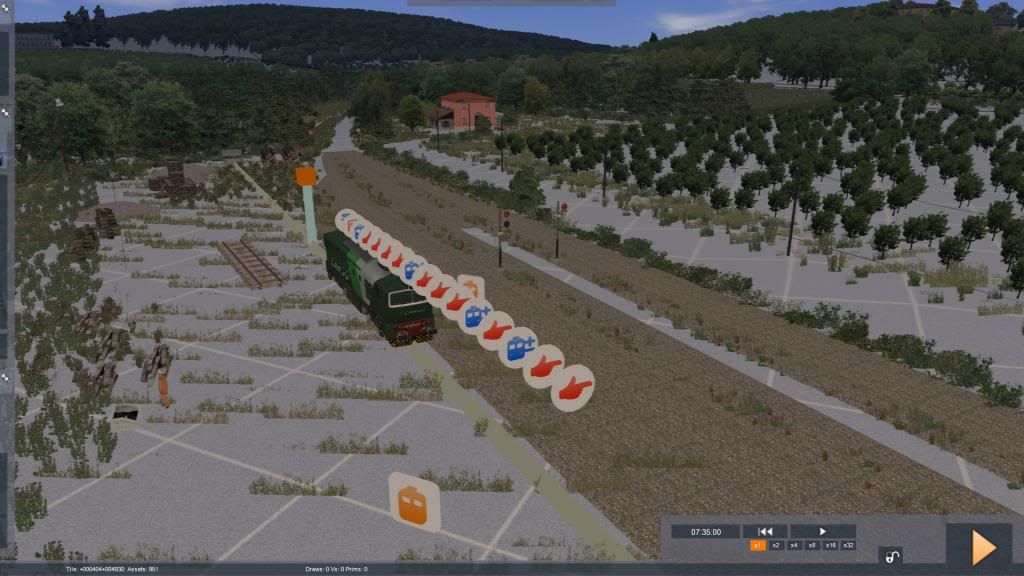
I decided to re-download all eight installation files, but at present AmiciTreni isn't cooperating and I cannot get a good, complete download of any of those files. This is nothing new to me ... downloading the Torino-Genoa 3.0 route required many, many, many attempts.
In the meantime, I decided to uninstall everything. As I did so, I noticed that the RSC package manager reported numerous missing assets in quite a number of asset packages, so evidently I had not gotten good downloads before, either.
Am I having fun yet?
I decided to re-download all eight installation files, but at present AmiciTreni isn't cooperating and I cannot get a good, complete download of any of those files. This is nothing new to me ... downloading the Torino-Genoa 3.0 route required many, many, many attempts.
In the meantime, I decided to uninstall everything. As I did so, I noticed that the RSC package manager reported numerous missing assets in quite a number of asset packages, so evidently I had not gotten good downloads before, either.
Am I having fun yet?
Tom Pallen (Old Prof)
{Win 10 Home 64-bit; Intel Core i7 6700 @ 3.40GHz; 16.0GB Single-Channel @ 1063 MHz (15-15-15-364); 2047MB NVIDIA GeForce GTX 960}
{Win 10 Home 64-bit; Intel Core i7 6700 @ 3.40GHz; 16.0GB Single-Channel @ 1063 MHz (15-15-15-364); 2047MB NVIDIA GeForce GTX 960}
-
OldProf - Posts: 2743
- Joined: Wed Sep 09, 2009 10:09 am
Re: Dreaming of Brescia - Iseo
by artimrj » Tue Feb 26, 2013 3:19 pm
Tom if you have enough space you could also make a copy of RW and rename the Railworks folder to something else. Install the route to that copy. Then rename the version you want to use back to Railworks. I have done this for several routes that interfere with other routes. Like the P&LE. It has it's own install of RW. When I want to play on it, I rename Railworks to Railworks.working and rename Railworks.ple to Railworks and play on the P&LE. You could also trim down the copied installation instead of having duplicate routes and other assets.
Bob Artim - Generation X²
I don't have a PHD, I have a DD214... Freedom carries sacrifice
I'm crawling in the dark looking for the answer
I don't have a PHD, I have a DD214... Freedom carries sacrifice
I'm crawling in the dark looking for the answer
-

artimrj - Posts: 4721
- Joined: Sun Jan 31, 2010 3:07 pm
- Location: Beaver, Pennsylvania
Re: Dreaming of Brescia - Iseo
by Chacal » Thu Feb 28, 2013 5:19 pm
People at UKTrainSim are all gushing about this route, so I may install it and do an uninstaller.
Over the hill and gathering speed
- Chacal
- Site Admin
- Posts: 6547
- Joined: Tue Jul 05, 2011 1:11 pm
- Location: Quebec, Canada
Re: Dreaming of Brescia - Iseo
by SargNickFury » Thu Feb 28, 2013 8:19 pm
The Key to getting this route running is to read the pdf's and go through verbatum what they require. I think even after that I had to google a couple of files to hunt them down. Or that might have been Ferrovia (I am still trying to get it fully functional).
Also it sounds like you may be getting bad downloads. Do you use a download manager? This can be huge both for speed and getting quality error free downloads for large files from oversea locations. I use this one. http://www.internetdownloadmanager.com/ it starts out free but you will have to pay to keep it, but it's been worth it to me.
If you do get this route I highly recommend the Minuetto train (payware) the real route uses a GTW by Stadlermost often now, however the Minuetto will come closest and luckily comes with both EMU and DMU versions. There is electric at Brescia but as soon as you start down this route the lines are gone. It has a very old railroad look, so this is a great route for steam locos too. Also look up Italian signal lights they work very different took me awhile to understand them, but they are really well implimented. Wikipedia told me all I needed to know.
Also it sounds like you may be getting bad downloads. Do you use a download manager? This can be huge both for speed and getting quality error free downloads for large files from oversea locations. I use this one. http://www.internetdownloadmanager.com/ it starts out free but you will have to pay to keep it, but it's been worth it to me.
If you do get this route I highly recommend the Minuetto train (payware) the real route uses a GTW by Stadlermost often now, however the Minuetto will come closest and luckily comes with both EMU and DMU versions. There is electric at Brescia but as soon as you start down this route the lines are gone. It has a very old railroad look, so this is a great route for steam locos too. Also look up Italian signal lights they work very different took me awhile to understand them, but they are really well implimented. Wikipedia told me all I needed to know.
-
SargNickFury - Posts: 60
- Joined: Sat Sep 22, 2012 9:47 pm
Re: Dreaming of Brescia - Iseo
by OldProf » Fri Mar 01, 2013 11:27 am
Sarge: thanks for suggesting that download manager. I installed it and used it to download the first part of the Brescia-Iseo route, not just suspecting but knowing that I'd gotten bad downloads from the AmiciTreni site. After the download completed, I attempted to open it and received the same error message from WinZip that I've seen before: "Please insert the disk containing "RW Downloads\AmiciTreni dwnlds\Brescia-Iseo\Fresh downloads\Brescia-Iseo_1_0.part02.rar" into Drive D:." The message box also contains 2 buttons: "Okay" and "Cancel". Clicking on "Okay" pops up the same message box again; clicking on "Cancel" opens a WinZip window that is empty.
Even while in Italy, I've experienced problems downloading from this site. I've looked at the AmiciTreni forums, where many posters have complained about bad downloads and missing assets. I have never had a problem downloading small packages such as rolling stock or scenarios from the site, but large files are extremely difficult.
Even while in Italy, I've experienced problems downloading from this site. I've looked at the AmiciTreni forums, where many posters have complained about bad downloads and missing assets. I have never had a problem downloading small packages such as rolling stock or scenarios from the site, but large files are extremely difficult.
Tom Pallen (Old Prof)
{Win 10 Home 64-bit; Intel Core i7 6700 @ 3.40GHz; 16.0GB Single-Channel @ 1063 MHz (15-15-15-364); 2047MB NVIDIA GeForce GTX 960}
{Win 10 Home 64-bit; Intel Core i7 6700 @ 3.40GHz; 16.0GB Single-Channel @ 1063 MHz (15-15-15-364); 2047MB NVIDIA GeForce GTX 960}
-
OldProf - Posts: 2743
- Joined: Wed Sep 09, 2009 10:09 am
Re: Dreaming of Brescia - Iseo
by Chacal » Fri Mar 01, 2013 12:32 pm
Old Prof wrote:used it to download the first part of the Brescia-Iseo route, ... After the download completed, I attempted to open it and received the same error message from WinZip that I've seen before: "Please insert the disk containing "RW Downloads\AmiciTreni dwnlds\Brescia-Iseo\Fresh downloads\Brescia-Iseo_1_0.part02.rar" into Drive D:."
Based on what you're saying, this seems like normal behavior. Winzip can't find part 2 in the same folder.
If the file IS there, then either part 1 or part 2 is corrupted.
Over the hill and gathering speed
- Chacal
- Site Admin
- Posts: 6547
- Joined: Tue Jul 05, 2011 1:11 pm
- Location: Quebec, Canada
Re: Dreaming of Brescia - Iseo
by OldProf » Fri Mar 01, 2013 3:24 pm
Chacal wrote:Based on what you're saying, this seems like normal behavior. Winzip can't find part 2 in the same folder.
If the file IS there, then either part 1 or part 2 is corrupted.
Yes, that seems possible, but what should download is a RAR file that contains both an RWP file and a read-me file. At least, that was my experience when I installed the route previously ... or at least as much of it as the downloaded packages contained. However, I'll try downloading all 8 parts and then opening Part 1. Thanks for the suggestion!
..........................
Later: I hereby
 to my advisers! I used that download manager to get all 9 parts, double-clicked part 1 and, like circus clowns piling out of their midget automobile, all of the RPK and RPW files erupted without any apparent errors. Now on to the process of installing them all. I'll let you know how that goes.
 Thanks again!
Tom Pallen (Old Prof)
{Win 10 Home 64-bit; Intel Core i7 6700 @ 3.40GHz; 16.0GB Single-Channel @ 1063 MHz (15-15-15-364); 2047MB NVIDIA GeForce GTX 960}
{Win 10 Home 64-bit; Intel Core i7 6700 @ 3.40GHz; 16.0GB Single-Channel @ 1063 MHz (15-15-15-364); 2047MB NVIDIA GeForce GTX 960}
-
OldProf - Posts: 2743
- Joined: Wed Sep 09, 2009 10:09 am
34 posts
• Page 1 of 3 • 1, 2, 3
Who is online
Users browsing this forum: No registered users and 2 guests