
Migrate settings to new laptop
Re: Migrate settings to new laptop
 by Cardinal51 » Thu Jan 14, 2021 12:02 pm
Thank you very much Chacal. Will copy the files , and follow instructions on that page you listed, and report back.
ASUS Laptop Zenbook Pro 14 - Intel Core i9 13900H - 32 GB RAM - 1 TB SSD - 8 GB NVIDIA GeForce RTX 4060 GPU - Win11 64 Home - 14.5" Screen @ 2880 x 1800 - Graphics @ HIGH. Having a great time running tough American diesels!
Currently running - TSC 2024 v77.6b
Currently running - TSC 2024 v77.6b
-

Cardinal51 - Posts: 1096
- Joined: Thu Mar 08, 2012 7:19 pm
Re: Migrate settings to new laptop
by petergbw » Fri Jan 15, 2021 2:28 pm
I have had the same migration issue some weeks ago,when I bought a new laptop. I made a fresh steam installation on the new laptop and loaded the train simulator afterwards via steam. Then I copied the assets and content folder from my old installation into the new one allowing the overwriting of all files. I only use the green ticks, also in career scenarios and all are there in the new installation. Same is true for all graphics and other settings. Perhaps I could help.
- petergbw
Re: Migrate settings to new laptop
by Cardinal51 » Fri Jan 15, 2021 2:59 pm
Thanks Peter, but it seems the issue is solved.
I followed the instructions from Chacal and copied the file Railworks\Content\SDBCache.bin from my old laptop to my new laptop.
Results below . . . . .
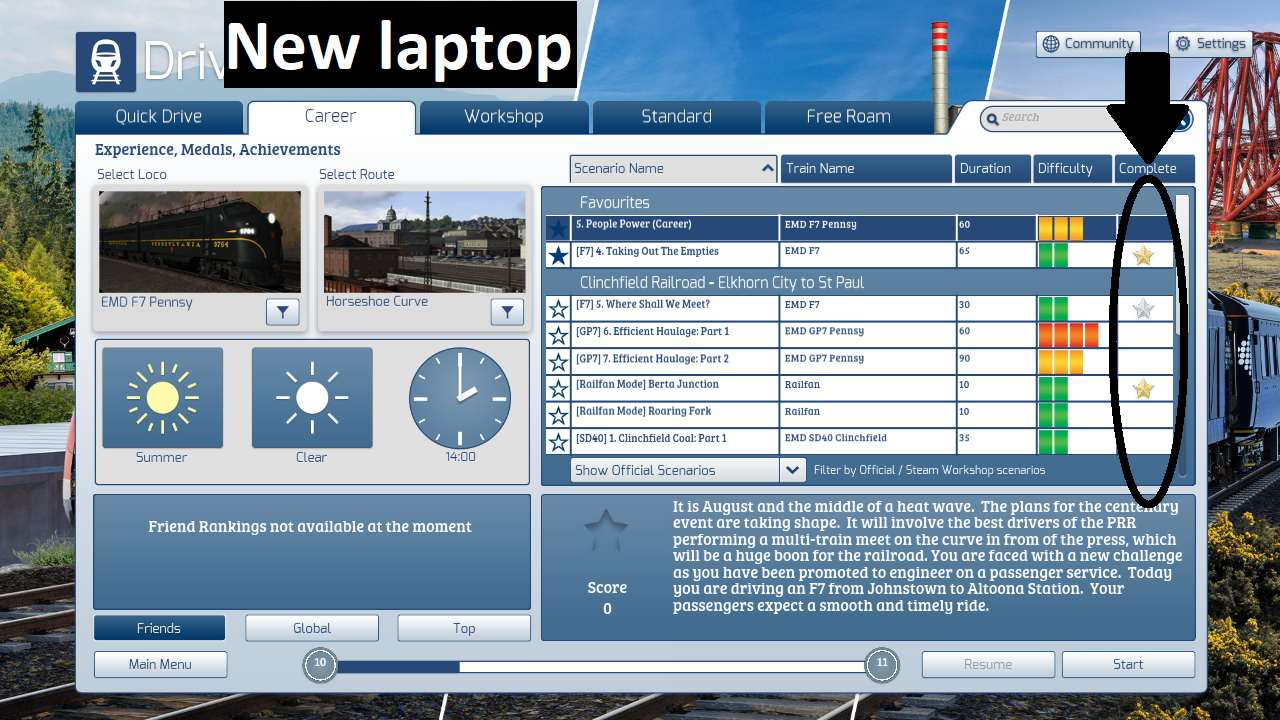
As you can see it worked perfectly. The Tick Marks (not visible in this screen shot) and Medals are back !
I did not test-run TS yet but I assume all will be running fine.
Thanks to all for helping me to fix this issue.
Have a great weekend ! ! !
PS: I decided to tweak the graphics menu , instead of migrating those settings. So I manually manually changed the settings to what I had on the old laptop.
I followed the instructions from Chacal and copied the file Railworks\Content\SDBCache.bin from my old laptop to my new laptop.
Results below . . . . .
As you can see it worked perfectly. The Tick Marks (not visible in this screen shot) and Medals are back !
I did not test-run TS yet but I assume all will be running fine.
Thanks to all for helping me to fix this issue.
Have a great weekend ! ! !
PS: I decided to tweak the graphics menu , instead of migrating those settings. So I manually manually changed the settings to what I had on the old laptop.
ASUS Laptop Zenbook Pro 14 - Intel Core i9 13900H - 32 GB RAM - 1 TB SSD - 8 GB NVIDIA GeForce RTX 4060 GPU - Win11 64 Home - 14.5" Screen @ 2880 x 1800 - Graphics @ HIGH. Having a great time running tough American diesels!
Currently running - TSC 2024 v77.6b
Currently running - TSC 2024 v77.6b
-
Cardinal51 - Posts: 1096
- Joined: Thu Mar 08, 2012 7:19 pm
18 posts
• Page 2 of 2 • 1, 2
Who is online
Users browsing this forum: No registered users and 5 guests