


 by ozinoz » Sat May 25, 2019 5:02 am
by buzz456 » Sat May 25, 2019 9:13 am


by AmericanSteam » Sat May 25, 2019 10:30 am


by wopflyer » Sat May 25, 2019 11:08 pm

by ozinoz » Mon May 27, 2019 2:37 am
by ZekTheKid » Mon May 27, 2019 9:24 am

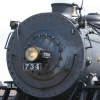
by buzz456 » Mon May 27, 2019 11:24 am
ZekTheKid wrote:It’s weird as to what DTG did to the Big Boy in their “update” to it a few years ago.
From what I can tell, the only major difference DTG made is change the names of a few sound files and made a sound path in the engine bins to a sound folder that doesn’t exist, yet the sounds were working with my fresh install. Any attempt at changing the sounds will cause them to no longer work unless the path for the audio in the locomotive bin file is corrected. That being said, if you’re talking about the big boy updates in the file library, they also point to a folder that doesn’t exist.
I did get my copy of the Big Boy to work with the update from the library, but I have yet to fix the headlight. Kinda left the headlight part on hold though, as our good friend Mike Rennie is creating a brand new Big Boy in the coming future.
by ZekTheKid » Mon May 27, 2019 4:38 pm
buzz456 wrote:ZekTheKid wrote:It’s weird as to what DTG did to the Big Boy in their “update” to it a few years ago.
From what I can tell, the only major difference DTG made is change the names of a few sound files and made a sound path in the engine bins to a sound folder that doesn’t exist, yet the sounds were working with my fresh install. Any attempt at changing the sounds will cause them to no longer work unless the path for the audio in the locomotive bin file is corrected. That being said, if you’re talking about the big boy updates in the file library, they also point to a folder that doesn’t exist.
I did get my copy of the Big Boy to work with the update from the library, but I have yet to fix the headlight. Kinda left the headlight part on hold though, as our good friend Mike Rennie is creating a brand new Big Boy in the coming future.
If you look at the path that works you will note that it ends up in a Challenger folder inside the BigBoyPack01 folder.

by ozinoz » Mon May 27, 2019 7:21 pm


by ZekTheKid » Mon May 27, 2019 7:34 pm
ozinoz wrote:(Re Mike and a 4000 - a) was the cat supposed to be let out of the bag and b) given Mike's work quality and absolute attention to detail, that would be years of work, considering one already exists. (the 800's were more than a year) That said, a decent rework from DTG with a complete authentic new sound set wouldnt go astray
by jlms48 » Mon Jun 03, 2019 3:24 am
ZekTheKid wrote:It’s weird as to what DTG did to the Big Boy in their “update” to it a few years ago.
From what I can tell, the only major difference DTG made is change the names of a few sound files and made a sound path in the engine bins to a sound folder that doesn’t exist, yet the sounds were working with my fresh install. Any attempt at changing the sounds will cause them to no longer work unless the path for the audio in the locomotive bin file is corrected. That being said, if you’re talking about the big boy updates in the file library, they also point to a folder that doesn’t exist.
I did get my copy of the Big Boy to work with the update from the library, but I have yet to fix the headlight. Kinda left the headlight part on hold though, as our good friend Mike Rennie is creating a brand new Big Boy in the coming future.
by ZekTheKid » Mon Jun 03, 2019 2:05 pm
jlms48 wrote:ZekTheKid wrote:It’s weird as to what DTG did to the Big Boy in their “update” to it a few years ago.
From what I can tell, the only major difference DTG made is change the names of a few sound files and made a sound path in the engine bins to a sound folder that doesn’t exist, yet the sounds were working with my fresh install. Any attempt at changing the sounds will cause them to no longer work unless the path for the audio in the locomotive bin file is corrected. That being said, if you’re talking about the big boy updates in the file library, they also point to a folder that doesn’t exist.
I did get my copy of the Big Boy to work with the update from the library, but I have yet to fix the headlight. Kinda left the headlight part on hold though, as our good friend Mike Rennie is creating a brand new Big Boy in the coming future.
The light fix here worked for me on the DTG update model released a few years back:
http://www.railworksamerica.com/forum/v ... oy#p149295
but it took me a while to figure out how to switch them on and off!
These are switched on/off using the keyboard
Class lights :--------- [Ctrl] + [1]
Number Lights:- ----[Ctrl] + [K]
NB These keyboard controls only work after the Cabview has been selected by pressing [1] or using the HUD.
Headlight from the HUD
Return to Problems and Peculiarities
Users browsing this forum: No registered users and 2 guests